

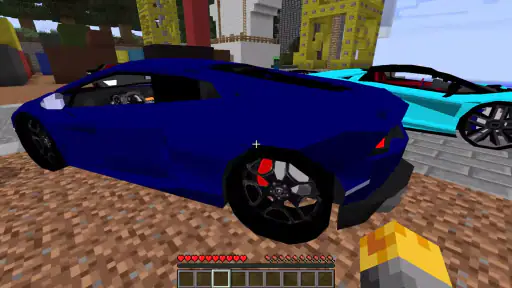
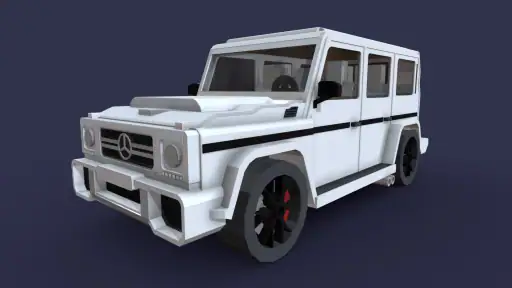
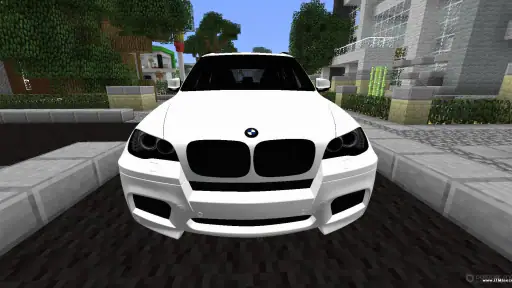
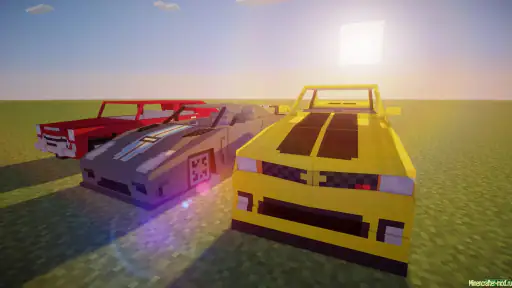
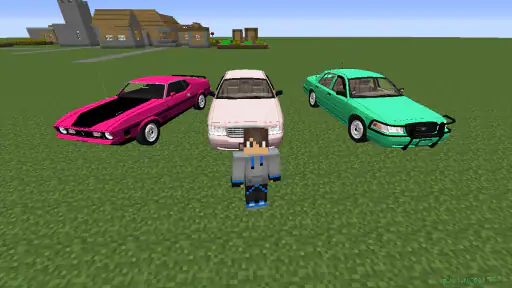
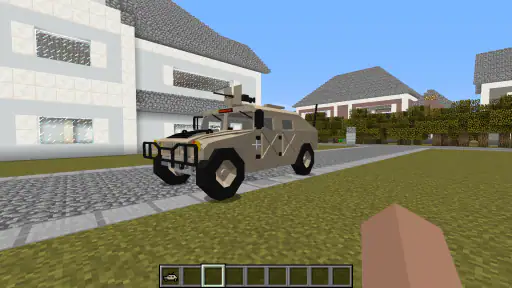
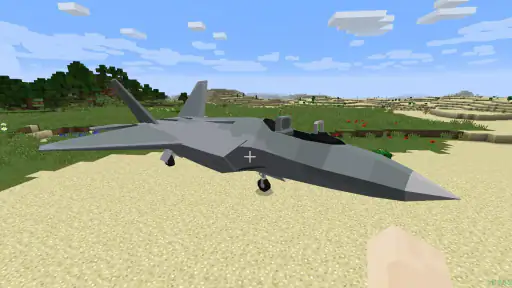
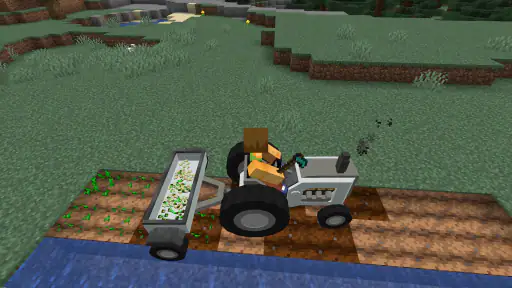
If you enjoy Minecraft PE but feel that walking or riding the usual in-game options has become predictable, Cars Mod offers a simple way to change the rhythm of a world. I approached it as a first-time player would: install the app, work out what it actually adds, and see whether getting a vehicle into a world feels worthwhile rather than merely impressive in a screenshot. The result is a vehicle-focused add-on companion for Minecraft PE, aimed at players who want cars and motorcycles to become part of their building, exploration, or role-playing sessions.
Cars Mod for Minecraft PE is an Auto & Vehicles app from Mods for MCPE Inc. It is free to use, rated for Everyone, and works on devices running Android 7.0 or later. The current version is 1.1.600056, while its release date is listed as April 22, 2022. Its headline attraction is a collection of more than ninety cars and motorcycles, but the more important question is how you use that collection inside Minecraft PE and whether the setup suits your patience.
What to expect before you install
The app is best understood as a way to bring a transport theme into Minecraft PE, not as a separate driving simulator. Your main game remains the place where you build, explore, and create stories. The mod changes the kinds of vehicles you can use in that setting, so the value depends heavily on what you already like doing in Minecraft. A player who builds roads, garages, towns, race tracks, or modern houses has an obvious reason to try it. Someone who prefers mining far underground or playing a strictly traditional survival world may find the vehicle theme less useful.
I also think it helps to set expectations about the word “cars.” A large selection sounds like a complete driving game, but the real appeal here is variety inside a block-based world. Vehicles give a city build more character, make a roadside stop feel occupied, and can turn a familiar route into part of the story. They do not automatically make every Minecraft session better. Their usefulness comes from matching them to a world you have already built or plan to build.
The app has attracted a substantial audience, with an average rating of 4.3 from around 28 thousand ratings and more than 5 million installs. Those figures suggest that the basic idea connects with many Minecraft PE players, although popularity should not be confused with a perfect experience on every device. Mods can feel straightforward for one player and confusing for another, especially when the installation path depends on the Minecraft edition and the way the add-on is presented.
Because it is free, I see little reason for a curious Minecraft player to rule it out before trying it. The more meaningful cost is your time: you may need to read the app’s instructions carefully, identify where the downloaded content is meant to go, and test it in a safe world. That small amount of preparation is preferable to experimenting in a favorite survival save and then wondering whether a problem came from the mod, the world, or Minecraft itself.
Who will get the most from the vehicle collection
Creative builders are the clearest audience. A city with empty streets often looks unfinished, even when the buildings are detailed. Adding different vehicles can give those streets scale and purpose. I would use smaller or less visually dominant vehicles near houses and shops, then reserve more distinctive choices for a dealership, a garage, or a central avenue. This creates visual variety without placing every available vehicle in one crowded area.
Role-players can also get more out of the app than casual explorers. A vehicle can represent a character’s job, lifestyle, or destination. For example, a player might create a delivery route between a warehouse and a market, use a motorcycle for a faster-looking courier character, or build a service station beside a long road. The mod becomes more meaningful when the vehicle supports an activity instead of being placed once and forgotten.
It is less suitable for a player who wants a polished, standalone racing experience with carefully balanced handling and dedicated events. Minecraft PE remains the foundation, so the surrounding world, controls, and physics are still shaped by Minecraft rather than by a purpose-built racing game. If your priority is lap timing, competitive driving, or realistic vehicle behavior, a dedicated racing title will probably be a better match.
Getting started without making your first world messy
Install with a test world in mind
My strongest recommendation for a first attempt is to create or choose a small test world before you try to build a full garage. This is not busywork. A test world lets you learn how the app’s vehicle content appears, whether your Minecraft PE setup recognizes it, and how the controls feel without risking a carefully developed base. Keep the first test simple: a flat area, a short road, and enough open space to see what you are doing.
After installing the free app, read its in-app directions instead of tapping through them automatically. Vehicle mods often require a player to understand the difference between selecting content in the companion app and activating it in Minecraft PE. The important habit is to complete one stage at a time, then check Minecraft before moving on. If you rush through every prompt, it becomes difficult to tell which step was successful.
Make a backup or duplicate of an important world before testing any external content. I would not use a long-running survival world as the first place to learn the process. A separate test save gives you a clean way to remove the experiment, repeat the setup, or compare the world before and after activation. This is especially useful for younger players, who may otherwise assume that every unfamiliar result is permanent.
It is also worth checking that you are using the correct Minecraft PE environment for the content. The app is specifically positioned around Minecraft PE, so the experience depends on compatibility with the version and edition you play. If you normally switch between different Minecraft installations, be deliberate about opening the intended one. Many apparent setup failures are really a case of the content being sent to a different Minecraft environment than the player expected.
Choose one vehicle instead of testing everything
When an app presents a large vehicle collection, the natural impulse is to activate or inspect everything immediately. I found that a slower approach is more useful. Start with one car or motorcycle and place it in a clear area. This gives you a reference point for appearance, movement, and interaction. Once you understand that basic loop, adding more vehicles becomes much less confusing.
A single-vehicle test also helps with world design. You can see how much road space feels comfortable, whether the vehicle looks better beside a building or on an open highway, and whether your planned garage needs wider entrances. These are practical questions that a store summary cannot answer. They matter because Minecraft structures are often built at a scale that looks good for a player character but feels cramped when a vehicle is added.
If the first vehicle does not suit your idea, do not assume the entire app has failed. The collection is broad enough to encourage experimentation, and a motorcycle may fit a narrow town street better than a larger car. Conversely, a broad boulevard or industrial district may look empty with only small vehicles. Treat the first choice as a design test rather than a final decision.
Your first meaningful success
For a new user, the first real success is not simply seeing a vehicle in a menu. It is placing one in a world and giving it a believable purpose. I suggest building a short road with a destination at each end: perhaps a house and a shop, or a garage and a fuel-themed rest stop. Then place the vehicle where a player would logically find it. Even this small scene makes the mod feel like part of Minecraft rather than an isolated object.
Once the vehicle is in place, walk around it before trying to move it. Look at how it fits against blocks, entrances, fences, and paths. This prevents a common mistake: building an attractive garage that is too narrow for the chosen vehicle. It also gives you a better sense of scale when you later expand the area.
For exploration, start with a short route rather than a long journey. Use nearby landmarks so you can concentrate on learning the interaction instead of worrying about getting lost. If the controls feel unfamiliar, repeat the same short trip until the basic actions become comfortable. That approach is more reassuring than attempting a cross-map expedition and blaming the mod when the route becomes difficult to manage.
A useful creative exercise is to assign vehicles to locations before selecting them. Decide that one area is a residential neighborhood, another is a commercial strip, and a third is an out-of-town road. Then choose vehicles that support those identities. This turns the collection into a planning tool: you are not just asking which car looks best, but which choice makes the world easier to read.
Where first-time users can become confused
The app and Minecraft are separate parts of the process
The biggest mental adjustment is remembering that installing a companion app does not mean the vehicles will automatically appear in every existing world. You still need to follow the activation path and then verify the result inside Minecraft PE. If you open a familiar world and see no change, check the setup steps before repeatedly reinstalling the app. Starting over without identifying the missed stage usually creates more confusion.
A test world is valuable here because it gives you a controlled place to check the result. If the content works there but not in an older world, the issue may relate to how that world was configured rather than to the vehicle collection itself. If it does not work in the test world either, repeat the instructions slowly and confirm that Minecraft PE is the application receiving the content.
Do not judge the whole experience from a single crowded build. A vehicle can be difficult to see or use when it is surrounded by walls, trees, animals, decorative blocks, and other entities. Clear the area and test again. This simple step separates a placement problem from a genuine setup problem and is one of the easiest ways to save time.
More choices can make selection harder
A collection of more than ninety cars and motorcycles is exciting, but it can also create decision fatigue. You do not need to explore the entire range on the first day. Pick a theme and narrow your search: city traffic, countryside travel, a workshop, a racing-inspired road, or a character-focused story. A smaller selection usually produces a more coherent build than scattering every available style across one street.
There is also a trade-off between variety and consistency. A mixed collection can make a city feel lively, while a carefully matched group can make a dealership or private garage look intentional. I prefer to keep the first scene visually consistent, then add contrasting vehicles in a second area. This lets you appreciate the differences without making the original build look random.
Do not confuse visual decoration with a complete transport system
Vehicles can improve the atmosphere of a world, but they do not replace Minecraft’s normal travel, building, or survival systems. If you need to move quickly across a large map, your usual Minecraft methods may still be more practical depending on the world and the way the mod behaves. The cars and motorcycles are most convincing when they support a route or story that you designed around them.
This is where the app compares differently with ordinary Minecraft alternatives. Standard travel options are already integrated into the game and require no separate vehicle-themed setup. They may be simpler for routine movement. Cars Mod is stronger when you care about the look and identity of a modern world, want a garage-centered build, or enjoy role-playing around roads and neighborhoods. Choosing between them is not only about speed; it is about whether transport is a functional shortcut or a visible part of the world.
Practical ways to turn vehicles into better builds
Use roads to guide the player
A road should do more than fill empty space between buildings. Use it to frame a destination, reveal a skyline, or lead toward a scenic area. Place vehicles where they reinforce that direction: near a junction, outside a store, or beside a workshop. This makes the vehicle feel intentional and helps visitors understand how your world is organized.
One non-obvious benefit is that vehicles can help you judge the scale of a build. A street that looks wide from the player’s viewpoint may appear narrow once a car is placed beside the curb. Test the road before decorating it heavily. If the vehicle dominates the space, widen the route or reduce nearby clutter. If it disappears visually, add a clearer parking area, contrasting blocks, or a more prominent destination.
Build a small service area before a huge city
Rather than starting with an enormous urban project, create a compact service area with a garage, a parking lot, a repair-themed building, and one connecting road. This is a manageable first project and gives every vehicle a natural context. It also exposes practical weaknesses early: entrances may be too small, parking spaces may be awkward, and the chosen vehicle may not suit the architecture.
This workflow is especially useful on a phone, where large builds can become tiring to manage. A compact area lets you switch between building and testing without constant travel. Once the layout works, expand outward into neighborhoods or highways. You will have a repeatable design pattern instead of starting from an empty map each time.
Separate display vehicles from working vehicles
Not every vehicle needs to be used for travel. Some can be treated as display pieces in a showroom, museum, dealership, or private collection. Others can be placed along roads where the player is expected to interact with them. Separating those roles makes a world feel more believable and reduces visual clutter. It also means you can enjoy the range of the collection without forcing every choice into the same gameplay loop.
For a role-playing session, assign a simple rule to each area. A dealership can show several options, a residential street can use only a few parked vehicles, and a highway can feature vehicles spaced far apart. These rules are small, but they create a sense of purpose that is easy to lose when adding content purely because it is available.
How the app fits different Minecraft routines
In a creative world, the mod is at its most immediately useful. You can test vehicles, redesign roads, and build a setting around them without worrying about gathering resources. This is the mode I would recommend for a first session because it lets you learn the app’s role quickly. You can focus on placement and world design rather than treating the first vehicle as a reward that must be earned.
In survival, the decision is more personal. Some players enjoy adding modern details to a world that otherwise grows naturally over time. Others prefer the challenge and visual consistency of Minecraft’s standard progression. If your survival world has a strong medieval or fantasy theme, modern cars and motorcycles may feel out of place unless you deliberately create a contrasting district. In a contemporary survival base, however, a vehicle can become a useful visual marker for a workshop, supply route, or settlement.
For multiplayer, agree on a shared theme before filling a common world with vehicles. One player may want a realistic city, another may want a chaotic collection, and a third may be concerned about keeping paths clear. The app is more enjoyable when everyone knows whether vehicles are decoration, role-playing props, or part of a shared transport challenge. Without that agreement, the same variety that makes the mod attractive can make a communal build look disorganized.
Parents and younger players may appreciate the Everyone rating and the straightforward premise. I would still encourage an adult to help with the first setup, particularly if the child is unfamiliar with moving content between an app and Minecraft PE. Once the test world works, the building and storytelling possibilities are easy to understand. The main lesson is to experiment in a copy rather than changing a favorite world immediately.
My recommendation after testing the complete workflow
Cars Mod is a good fit when you want Minecraft PE to feel more like a modern town, road trip, garage project, or vehicle-themed role-playing world. Its free entry point and broad collection make it easy to explore, while the 4.3 average and large install base indicate that it has found a durable audience. I especially like it for players who build environments first and then use vehicles to give those environments a reason to exist.
My reservation is that the app does not remove the need for careful setup or thoughtful world design. A first-time user who expects instant, perfectly integrated driving may be disappointed. The number of choices can also slow you down, and vehicles may be less practical than Minecraft’s normal alternatives when your only goal is fast travel. Those are not deal-breakers, but they are important trade-offs.
If you decide to try it, begin with a copied or disposable world, choose one vehicle, and build one short route around it. Confirm that the content appears before investing in a large city. Then expand by theme rather than by quantity: a garage district, a countryside road, or a small dealership will teach you more than placing every available option at once.
For me, the app works best as a world-building tool rather than a replacement for Minecraft’s core gameplay. It gives roads, parking lots, garages, and modern neighborhoods a stronger visual identity, and it offers enough variety to support several different settings. If that is the kind of change you want, the free download is easy to justify. If you want a dedicated racing game or a completely automatic travel system, I would choose a different category of app instead.
The best first step is simple: test one vehicle in a small world, give it a believable destination, and only then decide how much of your Minecraft PE experience should revolve around cars and motorcycles.


